이 글 목차
토큰 스택: 다시 스캔하지 않는 네 겹의 코드 인텔리전스
agent가 context를 태우는 문제에 흔히 나오는 답은 "memory를 붙이자"예요.
agent가 context를 낭비하는 방식은 한두 가지가 아니에요. 로그를 다시 읽고, 검색 결과를 넓게 쏟아내고, 같은 repo 구조를 또 스캔해요. 코드 그래프로 물어야 할 질문을 텍스트 검색 도구로 던지기도 하고요. 심볼 하나만 필요한데 파일 전체를 열고, 최신 소스 대신 기억에 의존해서 라이브러리 문서를 가져와요. 그런데 여기에 흔히 나오는 답은 늘 똑같아요. “memory를 붙이자.”
이 답은 대개 너무 막연해서 별로 도움이 안 돼요. 낭비의 종류가 제각각인데, memory 한 겹으로 그걸 다 깔끔하게 풀 수는 없거든요.
그래서 3B의 도구 스택은 일부러 monolith를 피했어요. 레인을 나누고, 레인마다 역할을 딱 하나씩 맡겼어요.
질문의 종류부터 보세요
검색 규칙은 단순해요. 질문을 보고 레인을 고르면 돼요.
3B의 durable 지식에 관한 질문이면 QMD를 써요. markdown 말뭉치를 검색하고, 시스템이 지금 어떤 종류의 소스를 보고 있는지 알려주는 information-layer 메타데이터를 존중해요.
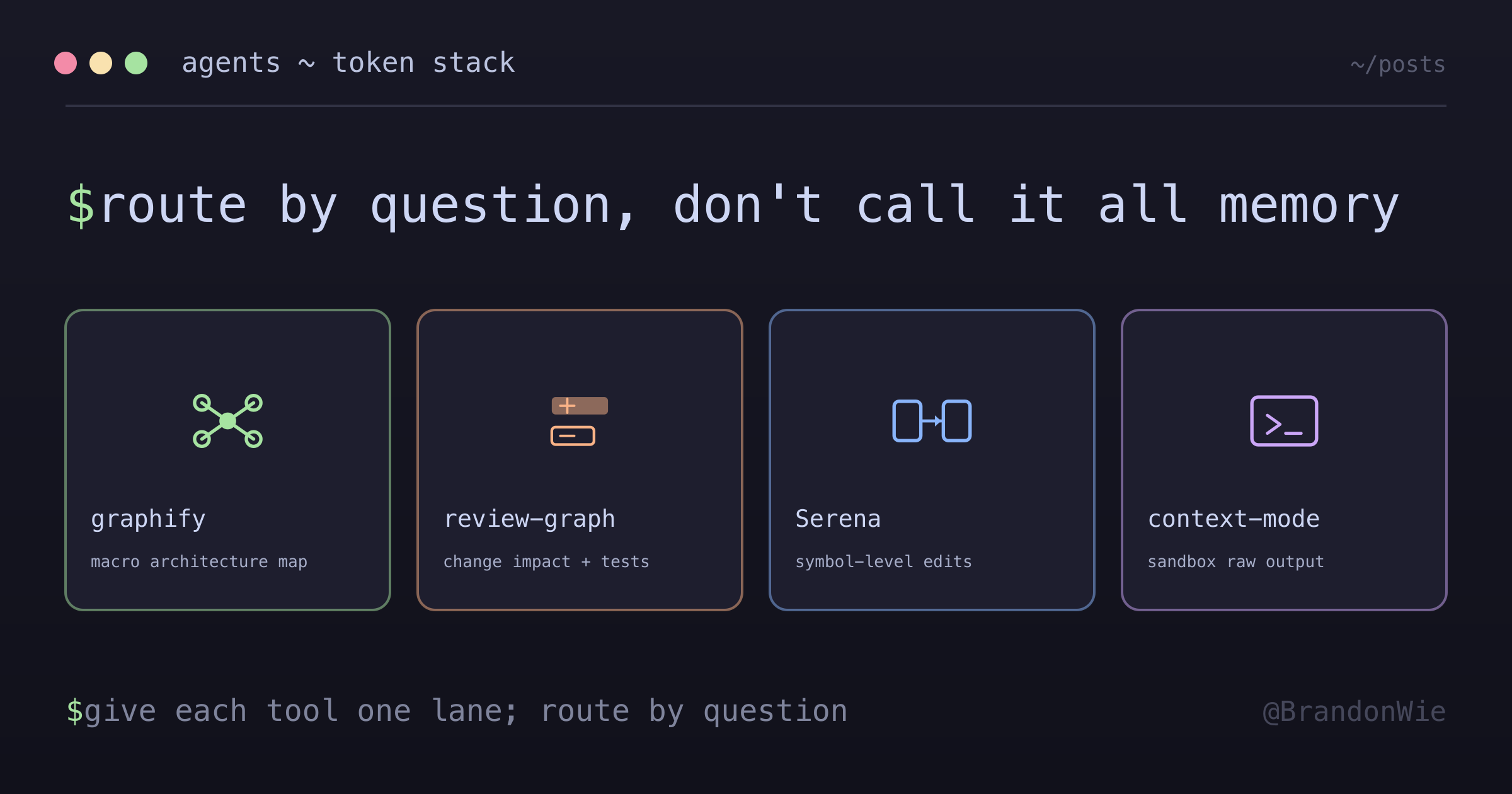
“이게 repo 어디에 있지?”가 궁금하면 graphify예요. 거시적인 아키텍처 지도를 줘요. 커뮤니티, 중심 노드, 구조 개요까지요.
“이걸 바꾸면 뭐가 깨지지?”가 궁금하면 code-review-graph예요. 변경의 미시 단위를 보는 레인이거든요. caller, 영향 범위, review context, test, flow를 짚어줘요.
“이 심볼 하나만 찾거나 고칠래”라면 Serena예요. 심볼 단위의 의미를 보는 레인이고, 직접 켜야 하며, 정확한 workspace 루트에만 묶여요.
“그 명령어가 뭐라고 출력했더라?”거나 “이번 세션에서 가져온 문서나 로그를 검색하고 싶어”라면 context-mode예요. 명령어, 웹, 파일의 원본 출력을 채팅 context 밖에 두고, agent가 인덱싱된 결과만 조회하게 해줘요.
도구 자체보다 이 라우팅이 더 중요해요. 좋은 도구도 엉뚱한 레인에 들어가면 context 누수가 돼버려요.
graphify는 거시 지도를 맡아요
graphify는 아키텍처 질문에 답하는 도구예요.
파일을 여럿 건드리기 전에 repo의 모양부터 봐야 할 때 읽는 레인이에요. 커뮤니티가 뭔지, 어떤 노드가 중심인지, 어떤 하위 시스템이 있는지 보여줘요. 3B에서는 생성된 그래프 리포트가 파일로 읽히는 산출물이에요. 넓은 스캔을 다시 돌리지 않고도 바로 들여다볼 수 있어요.
그렇다고 graphify가 모든 그래프형 질문에 맞는 건 아니에요. 좁은 파일 단위 편집에 쓰면 안 되고, 정밀한 심볼 refactor의 답을 거기서 찾아서도 안 돼요. review 작업에서 변경 영향 그래프를 대체하게 둬서도 안 되고요.
프라이버시 경고도 graphify가 제일 강해요. 코드는 AST 단위로 로컬에서 처리하지만, 코드가 아닌 graphify 동작은 모델 API 업로드를 동반할 때가 있거든요. 그래서 그래프 도구 규칙은 graphify를 information-layer 프라이버시 매트릭스와 신선도 검사를 거치도록 라우팅해요.
거시 지도, 프라이버시 게이트, 신선도 게이트. 이게 graphify의 레인이에요.
code-review-graph는 변경 영향을 맡아요
code-review-graph는 review 레인이에요.
이런 질문에 답해요. 어떤 변경 함수가 중요한지, 무엇이 그 함수에 의존하는지, 어떤 flow가 그곳을 지나는지, test가 빠진 곳은 어딘지. “repo 아키텍처를 보여줘”와는 모양이 다른 질문이죠. diff나 변경된 파일 집합에서 시작해서 바깥으로 뻗어 나가요.
이렇게 구분해두면 패치 하나의 여파만 알면 되는데 아키텍처 지도 전체를 읽는 일을 막을 수 있어요. code review가 시스템에 대한 낡은 머릿속 모델이 아니라 지금의 변경에 발 딛고 서게도 해주고요.
이것도 도구 상태를 과장하지 말라는 알림이에요. 어떤 checkout이 아직 그래프를 채우지 않았더라도 그 역할은 아키텍처 안에서 실재할 수 있어요. 라이브 통계는 지금 checkout이 증명해줄 때만 증거가 돼요. 그전까지 그 역할은 측정된 사실이 아니라 설계 의도예요.
Serena는 심볼 단위 작업을 맡아요
Serena는 일부러 항상 켜두지 않아요.
작업이 심볼 단위일 때 강력해요. 이 함수를 찾고, 이 클래스를 읽고, refactor를
수행하고, 정밀한 의미 위치를 살피는 일이요. 하지만 workspace 루트에 묶여 있어요.
main checkout과 .worktrees/... checkout은 서로 다른 루트라서, 같은 활성
workspace로 다뤄선 안 돼요.
그래서 규칙은 직접 켜는 세션 wrapper로 Serena를 시작하고, 믿기 전에 현재 설정을 확인하라고 해요. 엉뚱한 루트를 가리키는 심볼 도구는 심볼 도구가 아예 없느니만 못해요. 엉뚱한 곳에서 자신만만하게 context를 가져오거든요.
이것도 또 하나의 토큰 교훈이에요. 항상 켜진 의미 도구는 편해 보이지만, 어느새 엉뚱한 workspace에 조용히 붙거나, 세션에 필요도 없던 daemon을 살려두기도 해요.
context-mode는 출력 격리를 맡아요
context-mode는 다른 낭비 벡터를 풀어요. 바로 원본 출력이에요.
agent는 로그, 명령어 출력, 검색 결과, HTML, JSON, 파일 본문을 대화에 쏟아붓고 모델더러 머릿속으로 걸러내라고 시키면서 context를 어마어마하게 태워요. context-mode는 이걸 뒤집어요. 명령어는 sandbox에서 돌고, 원본 출력은 채팅 context 밖에 인덱싱되고, agent는 거기서 끌어낸 답만 출력하거나 검색해요.
그래서 한 세션 안에서만 쓰는 임시 증거에 딱 맞는 레인이에요. 3B의 durable 지식 말뭉치도 아니고, 코드 그래프도 아니고, 심볼 편집기도 아니에요. “분석은 거기서 돌리고, 중요한 것만 가져와”를 맡는 자리예요.
가드레일이 중요해요. 넓은 검색 결과를 통째로 context-mode에 자동 인덱싱하면 안 돼요. sandbox라도 agent가 거르지 않은 말뭉치를 계속 먹이면 오염된 검색 저장소가 될 수 있거든요. 핵심은 답을 끌어내는 것이지, context 홍수를 다른 데이터베이스로 옮기는 게 아니에요.
disabled와 stopped는 다른 말이에요
이 스택의 경고담은 죽지 않던 memory 플러그인이에요.
아키텍처 노트에는 제거가 여러 번 시도 끝에 끝났고, 적지 않은 로컬 데이터를 되찾은 기록이 남아 있어요. 분명 disabled라던 플러그인이 여전히 worker 동작을 하고 있었거든요. 교훈은 플러그인 하나 얘기가 아니에요. agent의 도구 표면에는 진실의 층이 여러 겹이라는 거예요.
- 설정은 뭐가 켜져 있어야 하는지 말해주고요.
- 플러그인 레지스트리는 뭐가 설치돼 있는지 말해줘요.
- 실행 중인 프로세스는 뭐가 실제로 살아 있는지 말해주고요.
- 빌링이나 토큰 로그는 runtime이 실제로 뭘 소비했는지 말해줘요.
이게 서로 어긋나면 runtime이 이겨요.
context 도구는 가만히 있는 게 아니라서 이게 중요해요. 세션 이벤트에 깨어나는 daemon은 토큰을 태우고, cache를 쓰고, 낡은 상태를 들고 있고, agent가 보는 걸 바꿀 수도 있어요. “설정상 disabled”는 가설일 뿐이에요. 런처, 레지스트리, 프로세스, 출력을 직접 확인하세요.
나라면 가져갈 것
다시 쓸 만한 아이디어는 도구 쇼핑 목록이 아니라 레인 표예요.
도구마다 이렇게 적어두면 돼요.
- 어떤 질문을 맡는가
- 어떤 질문에는 답하면 안 되는가
- 어떤 상태를 읽는가
- 항상 켜져 있는가, 직접 켜는가
- 어떤 프라이버시나 신선도 게이트가 지켜주는가
- 실제로 돌아가는지 어떻게 확인하는가
이 표가 스택이 또 하나의 monolith가 되는 걸 막아줘요. QMD는 durable 지식, graphify는 거시 아키텍처, code-review-graph는 변경 영향, Serena는 심볼, context-mode는 임시 출력을 맡아요. Context7은 최신 라이브러리 문서를 가져오고, Markitdown은 바이너리 문서를 변환해요. 레인마다 역할이 있어요.
토큰 스택이 잘 돌아가는 건 그 모든 걸 “memory”라고 뭉뚱그리길 거부하기 때문이에요. memory는 낭비 벡터 하나일 뿐이고, 나머지는 라우팅이 필요해요.