On this page
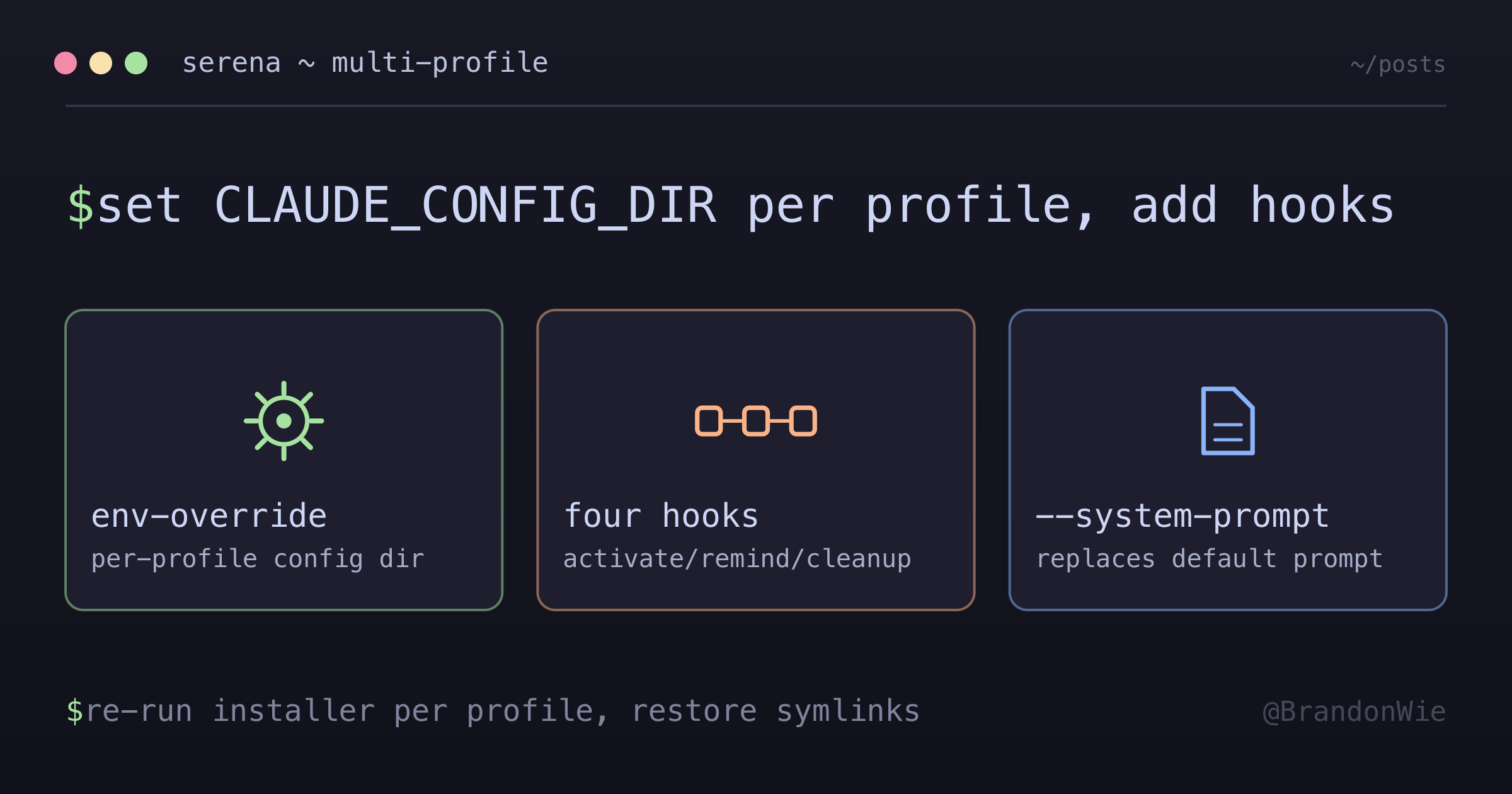
Serena MCP — Multi-Profile Setup for Claude Code (cpers/cwork)
Installing the Serena MCP server across a Claude Code dual-profile setup (cpers/cwork) plus Codex, including the four recommended hooks, the system-prompt override, and the non-obvious "installer writes to default ~/.claude.json, misses profile-specific stores" trap.
This is the full procedure for installing the Serena language-server-backed MCP server across a Claude Code dual-profile setup (cpers / cwork) plus Codex, including the four recommended hooks and the non-obvious “installer writes to default ~/.claude.json, misses profile-specific stores” trap that bites multi-profile users on first install.
Why Serena needs more than the default install
Recent Claude Code (and Opus 4.7) updates added very long built-in tool descriptions (~16k tokens, unmodifiable) and shipped a default system prompt that biases the agent toward Read / Grep over MCP-provided symbolic tools. Serena counteracts this with three mechanisms:
- An MCP server providing symbolic code-intelligence tools backed by language servers (
get_symbols_overview,find_symbol,find_referencing_symbols,replace_symbol_body, etc.). - Four behavioral hooks (
activate,remind,auto-approve,cleanup) that nudge the agent away from the default bias. - A system-prompt override (~7800 chars) that re-anchors the agent toward symbolic-first workflows.
The serena setup claude-code CLI handles step 1 only. Steps 2 and 3 are manual. And in a dual-profile setup (cpers runs Claude with CLAUDE_CONFIG_DIR=~/.claude, cwork with CLAUDE_CONFIG_DIR=~/.claude-work), even step 1 needs to be re-run per profile because the installer ignores the env var.
Difficulties Encountered
1. The Dual-Profile Installer Trap
serena setup claude-code is a thin wrapper around:
claude mcp add --scope user serena -- serena start-mcp-server --context=claude-code --project-from-cwdclaude mcp add --scope user writes to $HOME/.claude.json unconditionally — NOT to whichever path CLAUDE_CONFIG_DIR resolves to. So in a dual-profile setup:
~/.claude.json              ← installer writes here (default home store)
~/.claude/.claude.json      ← cpers reads here (CLAUDE_CONFIG_DIR=~/.claude)
~/.claude-work/.claude.json ← cwork reads here (CLAUDE_CONFIG_DIR=~/.claude-work)
After serena setup claude-code, both profile stores are still missing the serena entry. /mcp shows N other servers but no serena. Plain claude (which WOULD have read the orphan entry) is disabled by the zshrc launcher gate. The serena MCP entry sits in a file no profile reads.
Fix:
CLAUDE_CONFIG_DIR=~/.claude      serena setup claude-code
CLAUDE_CONFIG_DIR=~/.claude-work serena setup claude-code
This re-runs the installer twice with the env override, landing entries in both profile-specific stores. The orphan in ~/.claude.json can be left in place; plain claude is gated off and the file holds many other unrelated state keys (OAuth, growthbook flags, etc.) that should not be hand-edited.
2. --system-prompt vs --append-system-prompt
Serena’s docs example shows:
claude --system-prompt="$(serena prompts print-cc-system-prompt-override)"A common (incorrect) assumption: --system-prompt is --print-mode-only, forcing interactive launchers to use --append-system-prompt instead. Wrong — both flags work in interactive Claude Code (verified via claude --help). The substantive difference:
| Flag | Behavior |
|---|---|
--system-prompt | REPLACES the default system prompt entirely |
--append-system-prompt | APPENDS to the default system prompt |
Serena’s override is ~7800 chars beginning with "You are Claude Code, Anthropic's official CLI for Claude..." — written as a replacement. Using --append- would stack two "You are Claude Code..." preambles redundantly and dilute the override’s signal. Use --system-prompt.
3. Symlink Atomic-Rename Drift
Both ~/.claude/settings.json and ~/.claude-work/settings.json are supposed to symlink to 3b/.agent-ssot/global-claude-setup/settings.json (the SoT). In practice, Claude Code’s UI atomically rewrites these under load (create-temp-then-rename), silently replacing the symlink inode with a regular file. After install of new hooks in SoT, profile copies stay stale until the symlinks are restored via /sync-symlink-rectify (or ln -sf {SoT} ~/.claude/settings.json). Same bug class that defeated claude-mem removal attempts #1 and #2.
4. Codex MCP Worked Out of the Box
serena setup codex writes to ~/.codex/config.toml, which is symlinked to 3b/.agents/global-codex-setup/config.toml. Single profile, no cpers/cwork analog → no installer trap. The MCP entry just works. Hook setup remains manual.
The full install sequence
Step 1 — MCP entry per Claude profile
# Personal profile
CLAUDE_CONFIG_DIR=~/.claude      serena setup claude-code
# Work profile
CLAUDE_CONFIG_DIR=~/.claude-work serena setup claude-code
Verify both ~/.claude/.claude.json and ~/.claude-work/.claude.json contain:
"serena": {
  "type": "stdio",
  "command": "serena",
  "args": ["start-mcp-server", "--context=claude-code", "--project-from-cwd"],
  "env": {}
}
Codex MCP entry is one-shot: serena setup codex (writes to ~/.codex/config.toml — already symlinked into 3B SoT in this setup).
Step 2 — Four hooks in Claude SoT settings.json
Edit 3b/.agent-ssot/global-claude-setup/settings.json (the symlinked SoT):
"SessionStart": [
  { "matcher": "", "hooks": [{ "type": "command", "command": "serena-hooks activate --client=claude-code" }] }
],
"PreToolUse": [
  { "matcher": "",                "hooks": [{ "type": "command", "command": "serena-hooks remind --client=claude-code" }] },
  { "matcher": "mcp__serena__*",  "hooks": [{ "type": "command", "command": "serena-hooks auto-approve --client=claude-code" }] }
],
"Stop": [
  { "matcher": "", "hooks": [{ "type": "command", "command": "serena-hooks cleanup --client=claude-code" }] }
]
Hook semantics (from Serena docs):
| Hook | Event | Effect |
|---|---|---|
| activate | SessionStart | Prompts agent to activate the project at session start, reads Serena instructions. |
| remind | PreToolUse ("") | Throttled internally — nudges agent toward Serena tools after consecutive non-Serena tool calls (Read/Grep/etc.). |
| auto-approve | PreToolUse (mcp__serena__*) | Auto-approves Serena calls when CC is in acceptEdits mode (covers destructive ones like replace_symbol_body, rename_symbol). |
| cleanup | Stop | Cleans hook session state on session end. |
Step 3 — One hook in Codex SoT hooks.json
Edit 3b/.agents/global-codex-setup/hooks.json:
"SessionStart": [
  { "hooks": [{ "type": "command", "command": "serena-hooks activate --client=codex" }] }
]
Codex docs explicitly recommend SessionStart only — the Codex hook system is “less refined” and Codex shows less drift natively. auto-approve does not apply (no acceptEdits analog). remind/cleanup are not endorsed by docs; add later if drift surfaces.
Step 4 — Restore SoT symlinks
# /sync-symlink-rectify skill in Claude Code, or manually:
ln -sf /Users/brandonwie/dev/personal/3b/.agent-ssot/global-claude-setup/settings.json /Users/brandonwie/.claude/settings.json
ln -sf /Users/brandonwie/.claude/settings.json /Users/brandonwie/.claude-work/settings.json
Work profile chains through personal (per setup.sh line 241+) so a single SoT edit propagates to both.
Step 5 — System-prompt override in shell launchers
In dotfiles/zsh/.zshrc (or wherever cpers/cwork are defined):
# Lazy cache — one subprocess per shell session.
function _serena_cc_prompt() {
  if [[ -z "${_SERENA_CC_PROMPT_CACHE-}" ]]; then
    _SERENA_CC_PROMPT_CACHE=$(serena prompts print-cc-system-prompt-override 2>/dev/null)
  fi
  printf '%s' "${_SERENA_CC_PROMPT_CACHE}"
}

function cwork() {
  >&2 printf '[claude] profile=work dir=%s cwd=%s
' "${HOME}/.claude-work" "$PWD"
  local sp=""
  [[ -n "${SERENA_SESSION_ID-}" ]] && sp="$(_serena_cc_prompt)"
  CLAUDE_CONFIG_DIR=~/.claude-work command claude --system-prompt="$sp" "$@"
}

function cpers() {
  >&2 printf '[claude] profile=personal dir=%s cwd=%s
' "${HOME}/.claude" "$PWD"
  local sp=""
  [[ -n "${SERENA_SESSION_ID-}" ]] && sp="$(_serena_cc_prompt)"
  CLAUDE_CONFIG_DIR=~/.claude command claude --system-prompt="$sp" "$@"
}
Graceful degradation now has two layers. Default cpers / cwork sessions do
not receive the Serena-first prompt unless SERENA_SESSION_ID is present, which
keeps the opt-in migration from leaving a stale prompt override behind after the
MCP server is uninstalled. When a session is launched through the Serena wrapper
and serena is missing or broken, _serena_cc_prompt still returns empty → --system-prompt="" (no-op).
That guard matters because config audits can miss the shell-launcher layer. A tooling check may verify MCP configs, hook listeners, and daemons while the shell function still injects a Serena-first system prompt into every session. The practical lesson is broader than Serena: uninstall or opt-in migrations need to sweep every injection point, including launcher prompt overrides.
Step 6 — Verify
# 1. Binaries reachable
which serena serena-hooks
serena --version
serena-hooks --help | grep -E "activate|remind|cleanup|auto-approve"

# 2. MCP entry per profile
jq '.mcpServers.serena' ~/.claude/.claude.json
jq '.mcpServers.serena' ~/.claude-work/.claude.json
grep -A 2 '[mcp_servers.serena]' ~/.codex/config.toml

# 3. Hook count in Claude SoT (expect 4 serena-hooks entries)
jq '[.hooks.SessionStart, .hooks.PreToolUse, .hooks.Stop] | flatten
    | map(select(.hooks[].command | contains("serena-hooks")))
    | length'
  ~/dev/personal/3b/.agent-ssot/global-claude-setup/settings.json

# 4. Hook count in Codex SoT (expect 1 serena-hooks entry under SessionStart)
jq '.hooks.SessionStart'
  ~/dev/personal/3b/.agents/global-codex-setup/hooks.json

# 5. Symlinks restored
ls -la ~/.claude/settings.json ~/.claude-work/settings.json

# 6. Launcher carries the flag
zsh -c 'source ~/.zshrc; which cpers' | grep system-prompt
Restart Claude Code. /mcp should now show serena · ✔ connected under the appropriate user MCP section per profile.
Why this approach over the alternatives
The five obvious approaches and the trade-offs that made the env-override + SoT path the chosen one:
| Approach | Pro | Con |
|---|---|---|
Hand-edit ~/.claude/.claude.json per profile | Most direct | The file is also the OAuth/state store for that profile — risk of corrupting unrelated keys. |
serena setup claude-code + CLAUDE_CONFIG_DIR | Uses upstream installer, just env-overridden | Two installer invocations, but trivially cheap. Chosen. |
Hand-edit SoT mcpServers block | Single source | mcpServers lives in ~/.claude/.claude.json per profile, NOT in the SoT settings.json. Doesn’t apply. |
claude mcp add --scope project per repo | Repo-scoped | Defeats “global” intent — must remember to install per repo. |
| Skip auto-approve hook | Simpler | Loses blanket-approval coverage for destructive Serena calls in acceptEdits mode. |
The chosen approach (env-override + SoT symlinks + shell-launcher injection) keeps the install global, leverages existing 3B SoT pipelines, and degrades gracefully when Serena is uninstalled.
Key takeaways for any multi-profile MCP install
- MCP entries live in profile-specific
.claude.jsonfiles, NOT in the shared SoTsettings.json. The two are completely different files (one contains hooks/permissions/plugins; the other contains MCP servers + OAuth state). claude mcp add --scope userignoresCLAUDE_CONFIG_DIRONLY IF you invoke it directly without the env override. Setting the env explicitly fixes it:CLAUDE_CONFIG_DIR=~/.claude-work claude mcp add ....- The four-hook layout is necessary, not optional, for Opus 4.7. Without the system-prompt override + remind hook, the agent strongly prefers
ReadandGrepoverfind_symbol/get_symbols_overview— defeating the point of installing Serena. - Codex needs less. Single MCP entry + one SessionStart hook. No
auto-approveanalog. No--system-promptoverride needed (Codex shows less drift natively). - Restart Claude Code after every settings.json or
.claude.jsonchange. In-flight sessions don’t pick up new MCP entries or new hooks. - Verify symlinks after every install/upgrade involving SoT files. The atomic-rename drift class (UI rewrites symlinks as regular files) breaks the SoT pipeline silently.
When this fits
This is the pattern for installing any new MCP server in a Claude Code dual-profile setup, onboarding a new machine to Serena where cpers/cwork already exist, or diagnosing “the MCP server is registered but /mcp doesn’t show it” after an installer ran successfully. Skip it for single-profile Claude Code setups (no CLAUDE_CONFIG_DIR indirection — serena setup claude-code works as-is) and for per-repo (project-scope) MCP installation, which uses a different mechanism that edits .mcp.json directly.